NFC Tools - iOS
Information
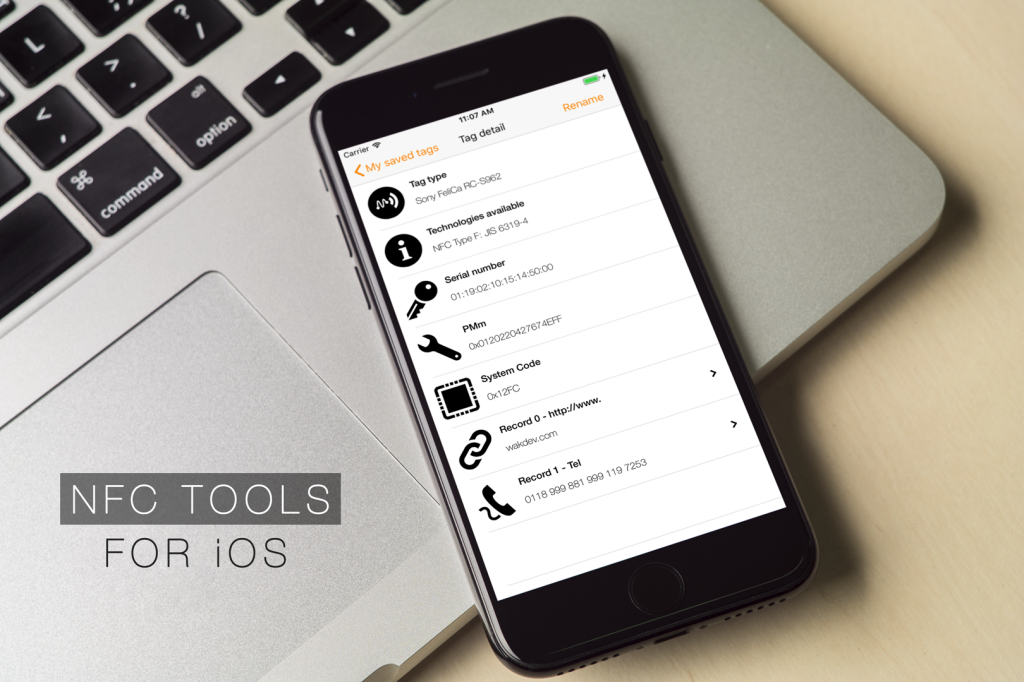
NFC Tools for iOS
To read and write your NFC tags with your iPhone.
Screenshots
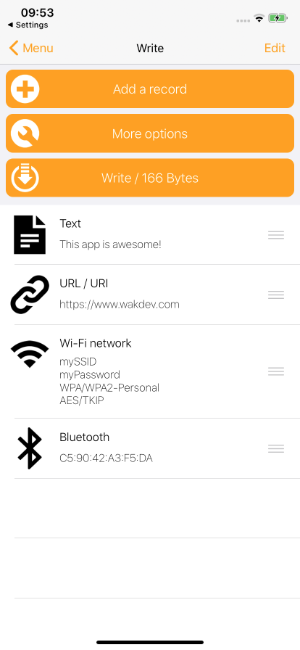
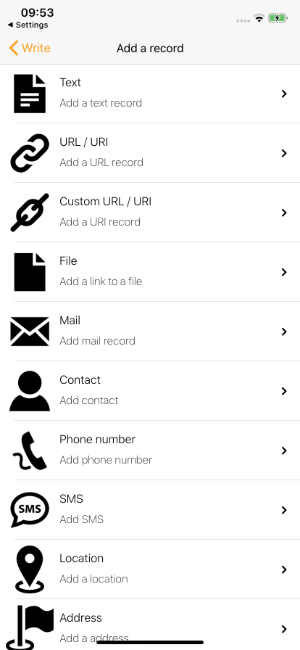
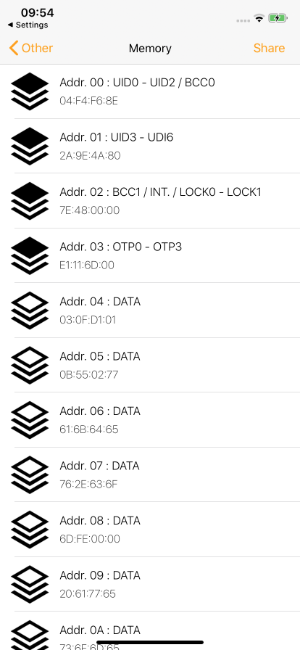
Features
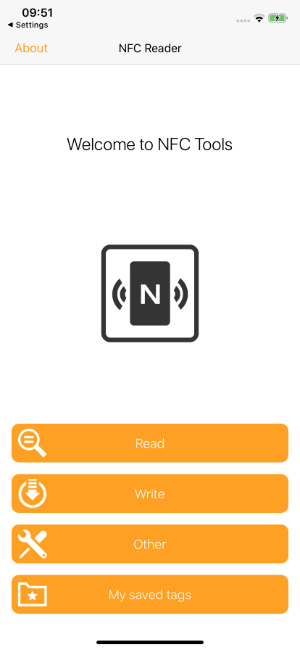
NFC Tools gives you everything you need to read, write and program your NFC tags:
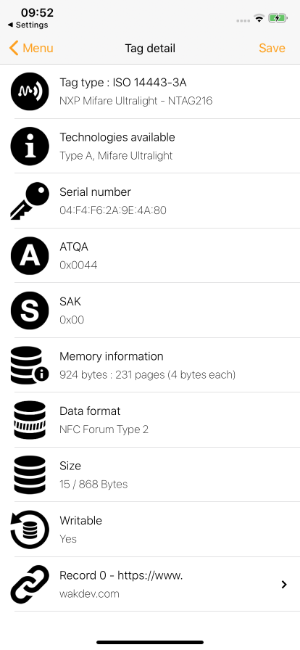
- Read your NFC tags : Instantly see the UID, tag type, available technologies, memory size, data format, ...
- Read & write compatible chips : NTAG, MIFARE Ultralight, DESFire, ICODE, EM, ST25, ...
- Dump & export tag memory : Read the full memory content of your NFC tags and export it.
- Write NFC records : URL, text, contact, address, Wi-Fi, Bluetooth, email, phone, SMS and more.
- Copy & clone tags : Duplicate the content of one tag onto another.
- Erase, format & protect : Wipe, reformat, lock or password-protect your NFC tags.
- Advanced commands : Send custom commands to NTAG, MIFARE and other chips.
... and much more.
Description
NFC Tools can read and write your NFC tags with a simple and lightweight user interface.
By passing your device near an NFC chip, you can read the data it contains and interact with the content.
The "Read" section allows you to see data such as:
NFC Tools can record standard information on your tags which will be compatible with any NFC device.
For instance, you can store a VCARD to share your contact details easily, open an URL, share a phone number or even a geolocation.
The "Write" section let you record standardised data such as:
The write function allows you to add as much data as you wish.
This way you can record large quantities of information on your tag.
The app also allows you to save the contents of your chip for later access.
NFC Tools has been tested with the following NFC tags:
If you encounter any problem, don’t hesitate to contact us.
Notes:
By passing your device near an NFC chip, you can read the data it contains and interact with the content.
The "Read" section allows you to see data such as:
- The maker of the tag.
- The type of tag (ex : Mifare Ultralight, NTAG213).
- The norm of the tag (ex : NFC Forum Type 2).
- The available technology (ex: NFC A).
- Its serial number (ex : 04:85:c8:5a:40:2b:80).
- The size of the tag and of the data on it.
- If you can write on the tag.
- All the data on the tag (NDEF format).
- And more...
NFC Tools can record standard information on your tags which will be compatible with any NFC device.
For instance, you can store a VCARD to share your contact details easily, open an URL, share a phone number or even a geolocation.
The "Write" section let you record standardised data such as:
- A simple text.
- A link to a website.
- An email.
- A contact.
- A phone number.
- A predefined text message.
- An address or geolocation.
- A WiFi or Bluetooth configuration.
- Personalised data.
- And more...
The write function allows you to add as much data as you wish.
This way you can record large quantities of information on your tag.
The app also allows you to save the contents of your chip for later access.
NFC Tools has been tested with the following NFC tags:
- NTAG 203, 210, 210u, 212, 213, 213TT, 215, 216.
- Ultralight, Ultralight C, Ultralight EV1.
- DesFire.
- FeliCa.
- ICode.
If you encounter any problem, don’t hesitate to contact us.
Notes:
- Compatible from iPhone 7 and iOS 15.6.
Available languages
NFC Tools for iOS is available in the following languages:
French, German, English, Bulgarian, Simplified Chinese, Traditional Chinese, Korean, Croatian, Danish, Spanish, Finnish, Greek, Hindi, Hungarian, Indonesian, Italian, Japanese, Malay, Norwegian, Dutch, Polish, Portuguese, Romanian, Russian, Slovak, Swedish, Czech, Thai, Turkish, Ukrainian, Vietnamese
A very special thanks to
 |
Malte Pahl eyewerk.de |
 |
NasoSan nasosan.it |
 |
Rafał Mania ManiusNG |
||
 |
Alexander G. kefir500.github.io |
 |
Jervânio Lima Translator |
 |
David F. DidOudadOuda |
||
|
Céline C. |  |
Ruoyun L. deewee.net |
|
Kay Jap. Translator |