Select your language

  • Français (France)
  • English (United Kingdom)
  • Español
  • Italiano
  • Deutsch

Start by installing NFC Tools so you can write to your NFC chip.

Android iOS

Once installed, open the NFC Tools app:

1 - Go to “Other” then click on “Advanced NFC commands“.
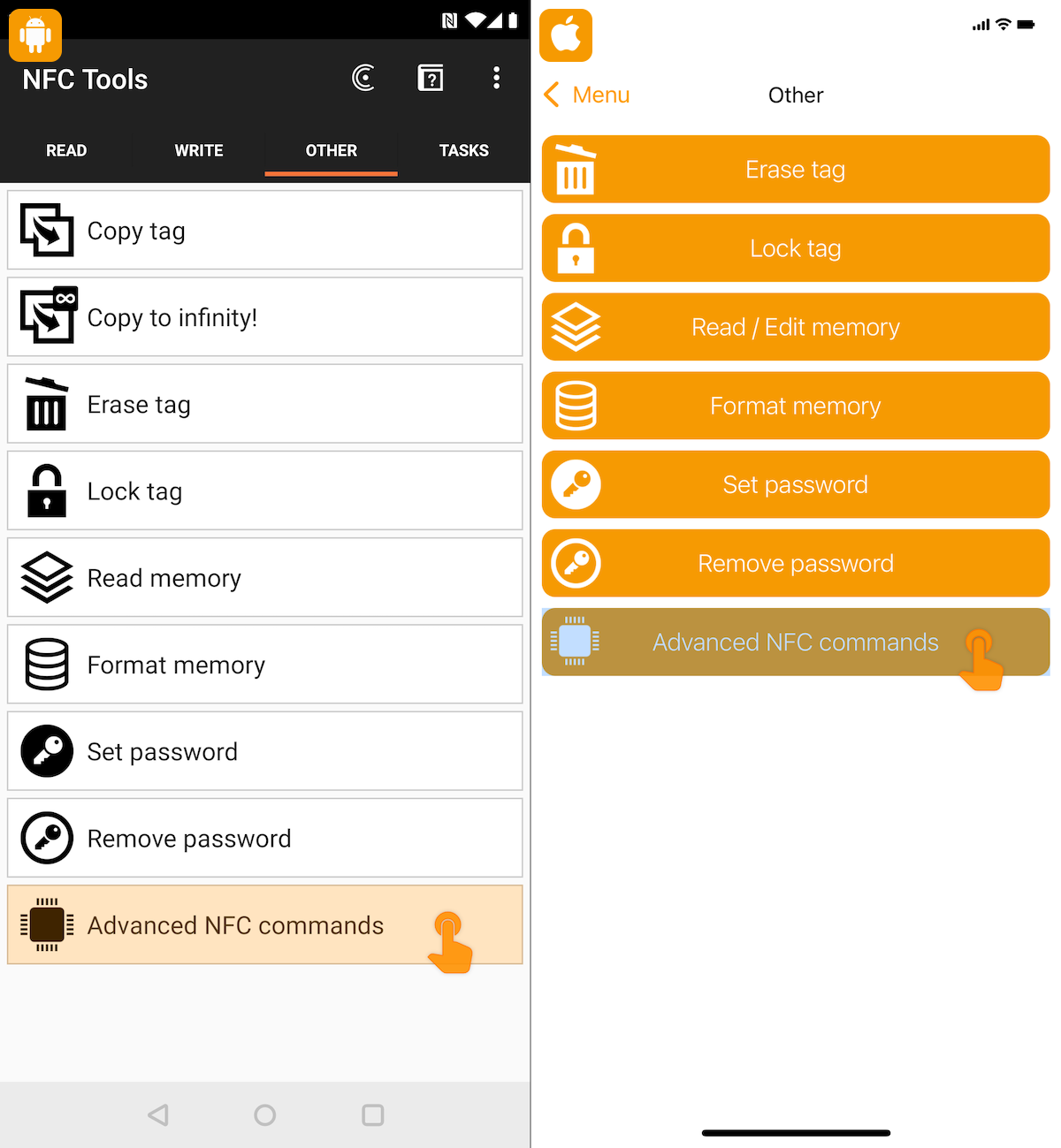
“Other” tab of NFC Tools on Android and iOS: tap “Advanced NFC commands”

2 - Validate your responsibility for the use of this feature by clicking on "I assume".
Attention! This feature is for experienced users only.
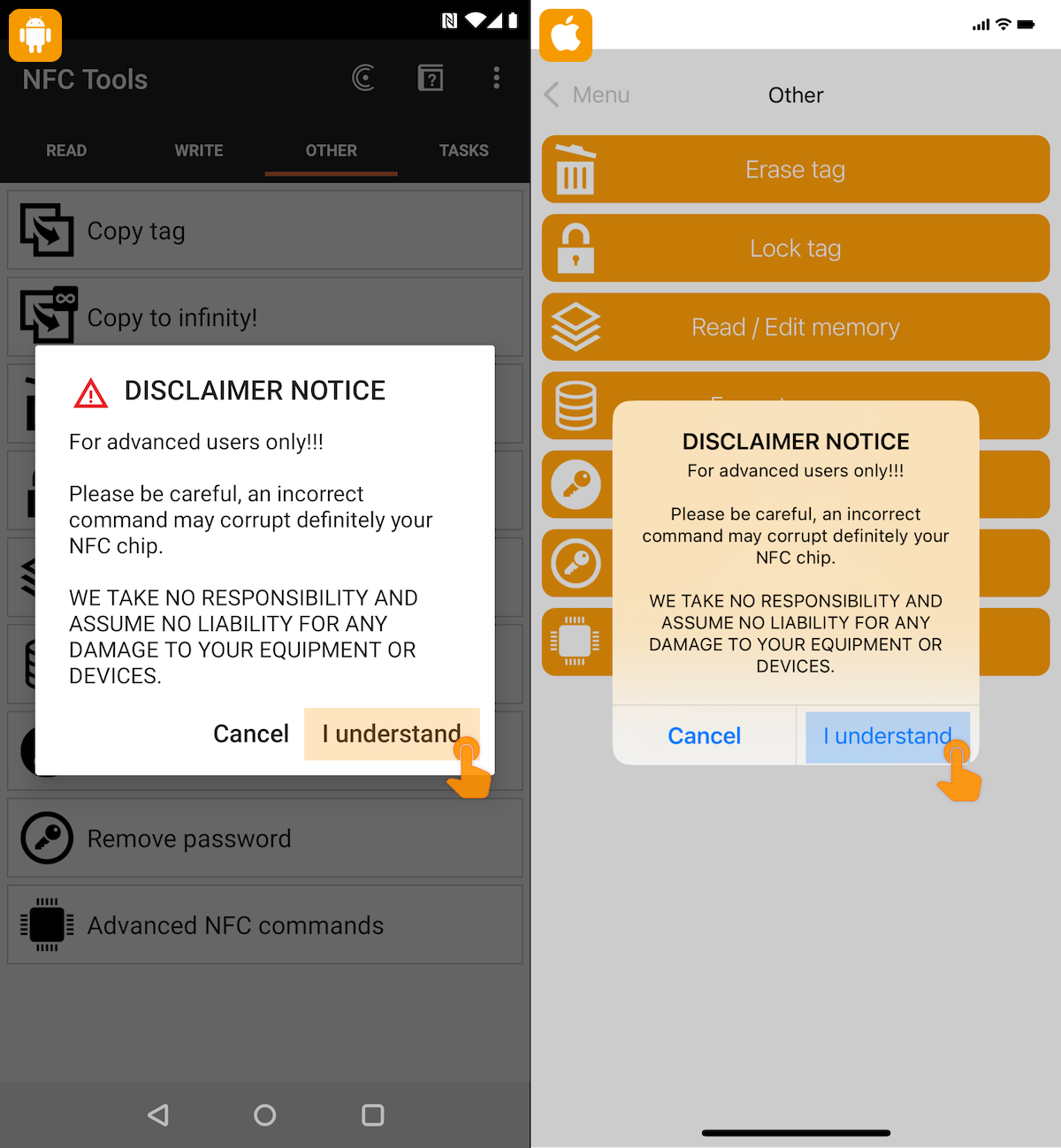
Disclaimer notice of NFC Tools on Android and iOS, for experienced users: “I assume”

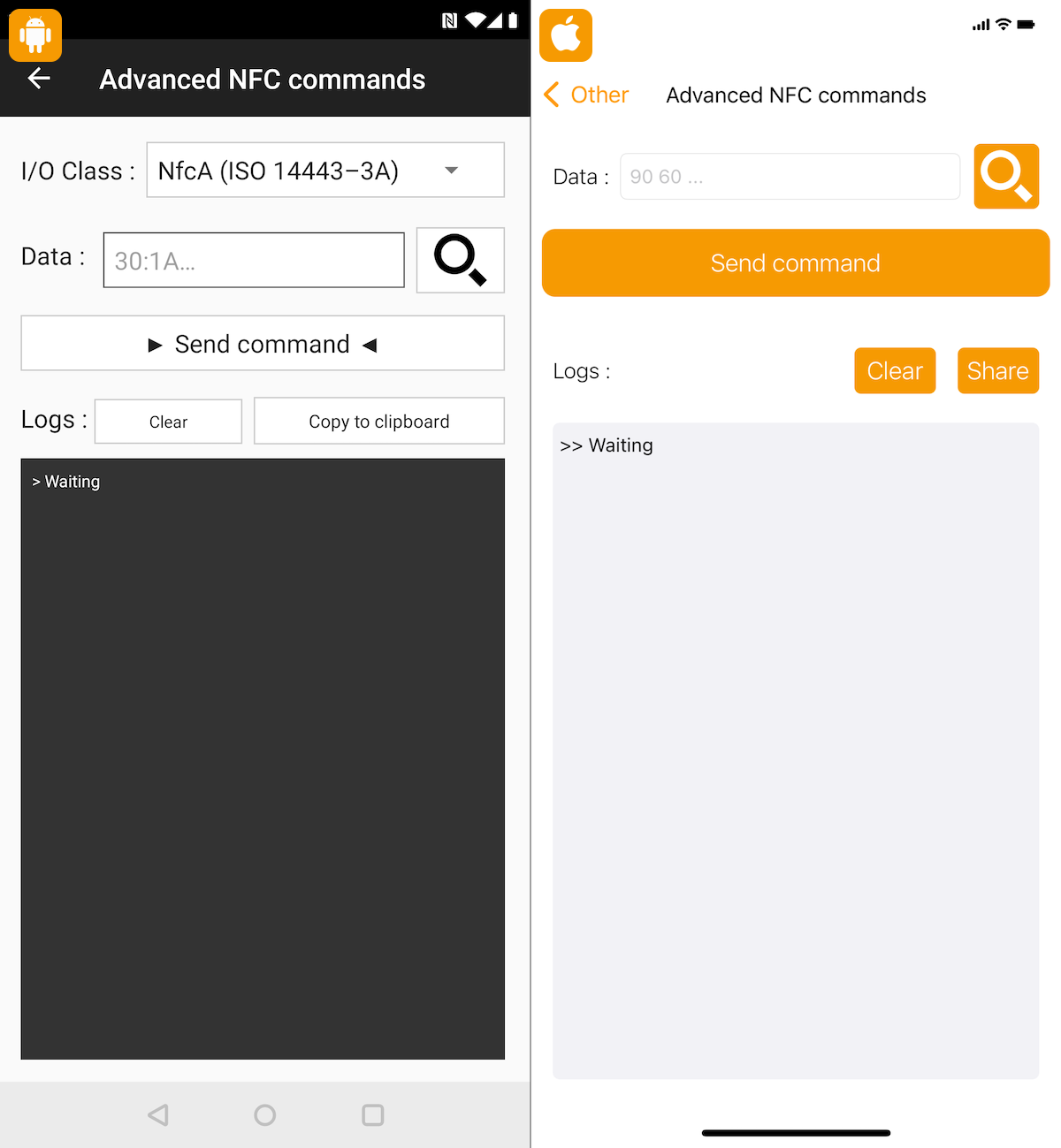
It's up to you!

“Advanced NFC commands” screen of NFC Tools on Android and iOS: I/O class, data, send and log

Tips: Did you know you can use a comma to send multiple commands? (eg: XX:XX:XX, XX:XX:XX)

About

Creator of innovative solutions
Android | iOS | Web | NFC

Keep in touch

Reddit Instagram YouTube Bluesky X (Twitter) Facebook Threads LinkedIn Mastodon Newsletter